Supply Assets
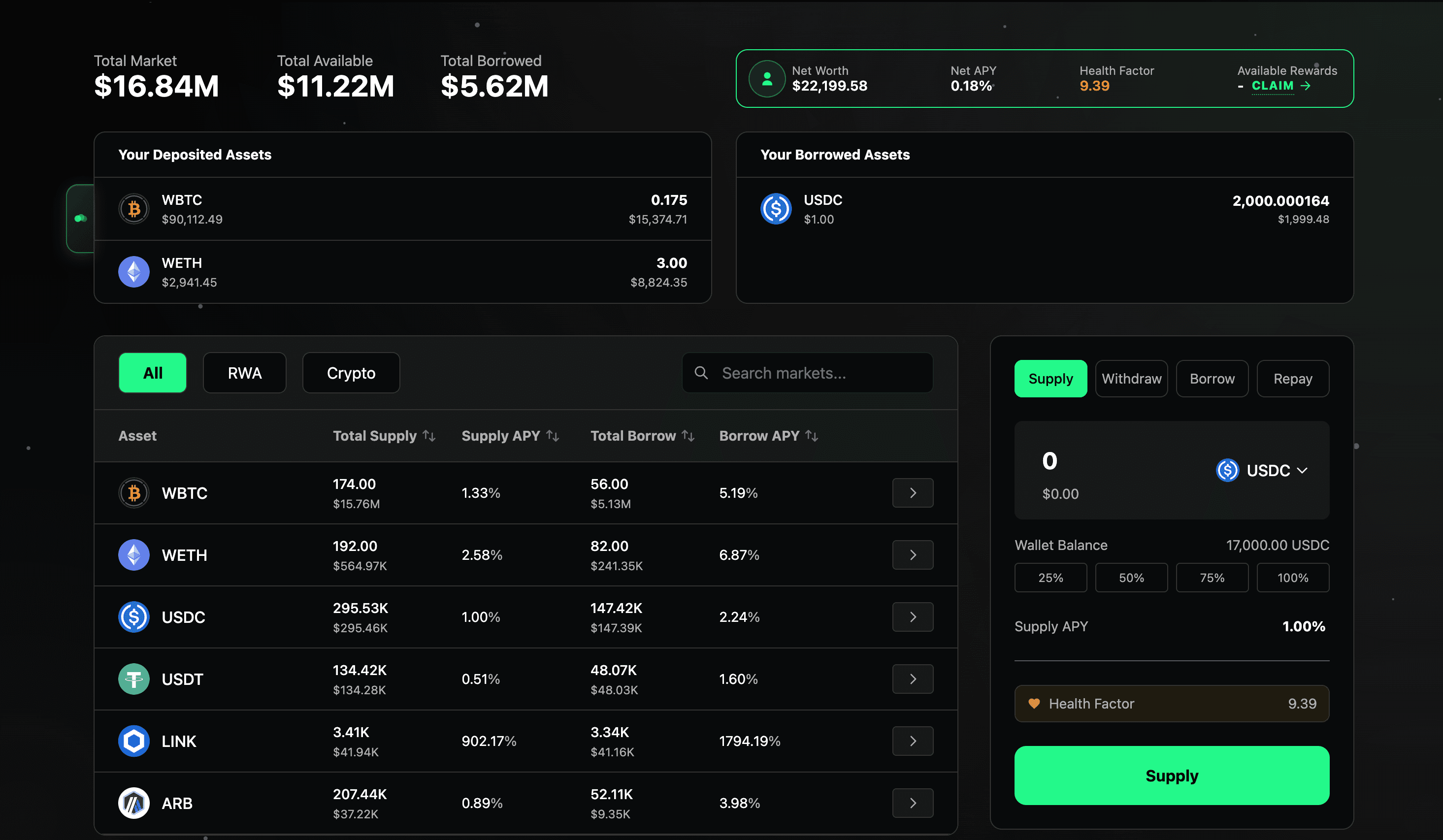
Supplying assets to ZonaLend allows you to earn yield and boost your health factor. Supplied assets can be used as collateral for borrowing or simply to generate passive income.
Step-by-Step: How to Supply
Access the ZonaLend app. Visit https://app.zona.finance/lend and connect your wallet. On this interface, you can see the total market size (e.g. total amount supplied and borrowed across all wallets), your personal details (e.g. your net deposits and yield, health factor, deposited/borrowed assets), individual market details, and a control panel to power your transactions.
Select asset. Use the table on the left to select which asset you want to supply. Once you've selected, click the arrow button on the right of the corresponding row to lock in the asset to your control panel.
Input position size. You can type your desired supply amount manually or use our pre-set options to select 25%, 50%, 75% or 100% of your total wallet balance of that asset.
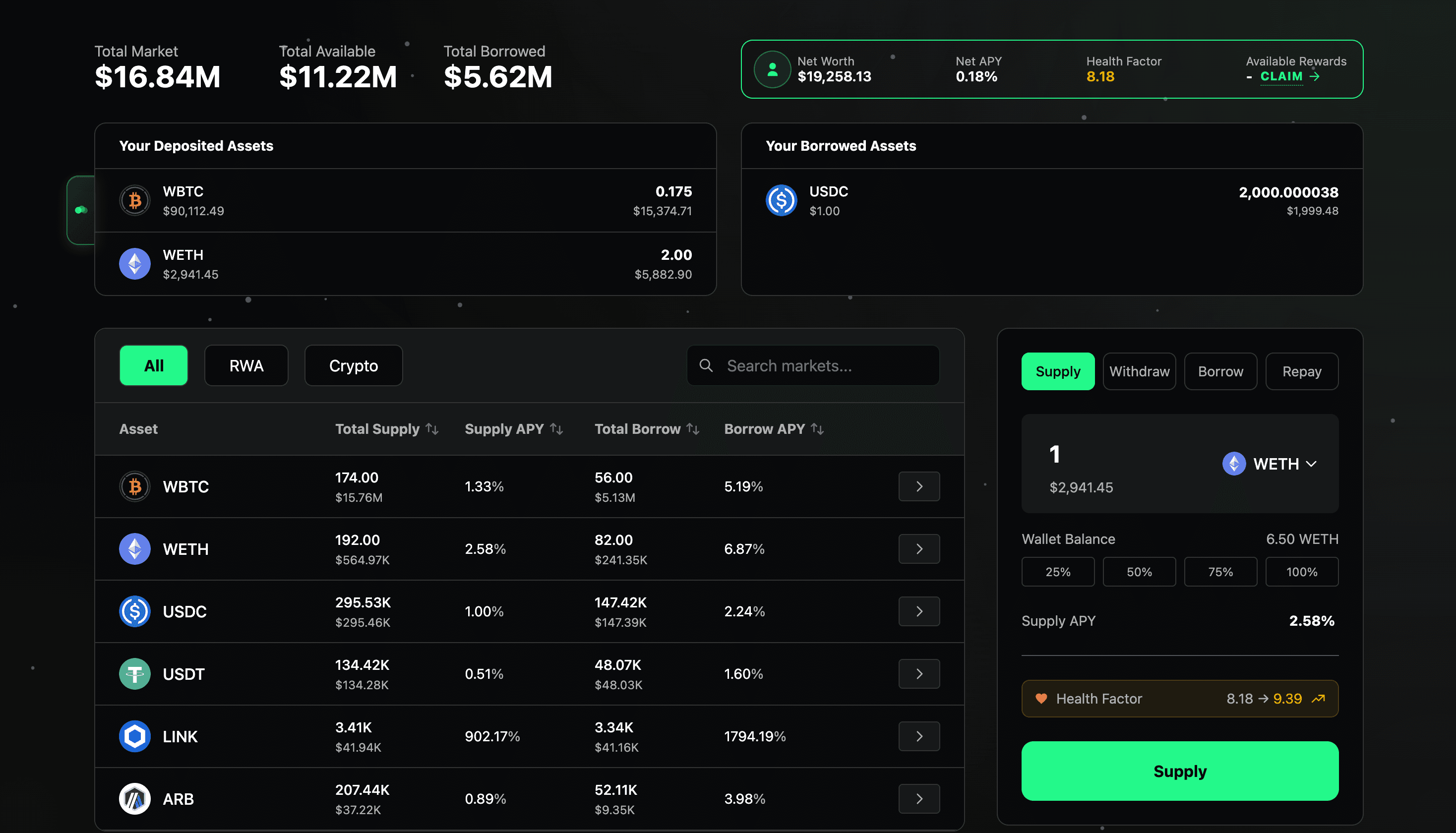
Confirm parameters. Review the APY and health factor to make sure this is the transaction you want. Supplying assets will boost your health factor, making your position further away from liquidation. Remember, the lower your health factor is, the higher the risk of liquidation.
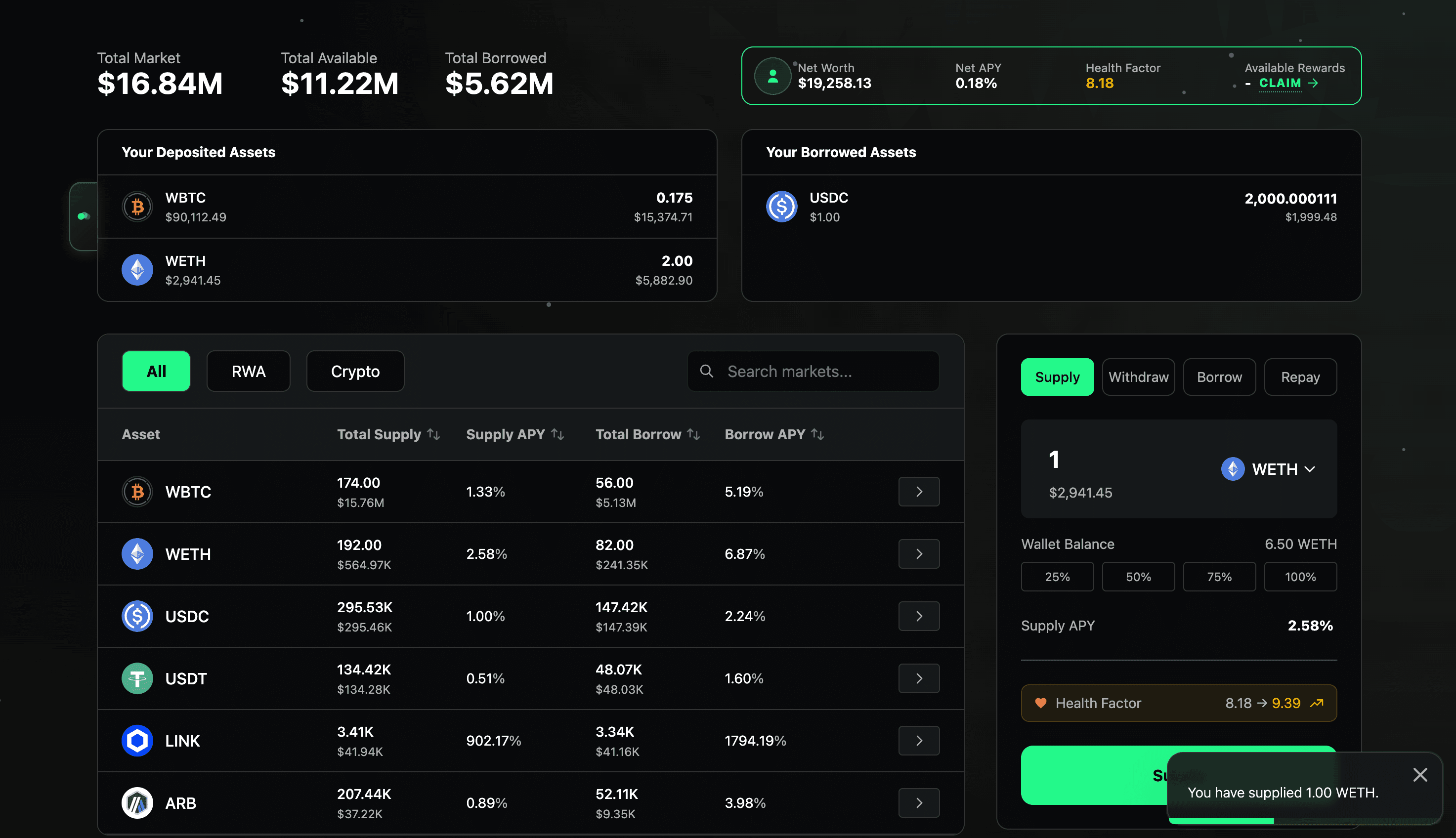
Supply. Once you are comfortable with the terms, click the "Supply" button and confirm the transaction on your wallet. A pop-up will appear in the bottom-right corner of your screen to confirm that your transaction has been completed.
Potential Risks
Note that withdrawing will lower your health factor, making your position closer to liquidation. Be sure to monitor your health factor carefully! In extreme scenarios where the utilization for the asset you wish to withdraw is at 100%, you may be unable to withdraw immediately.