Borrow Assets
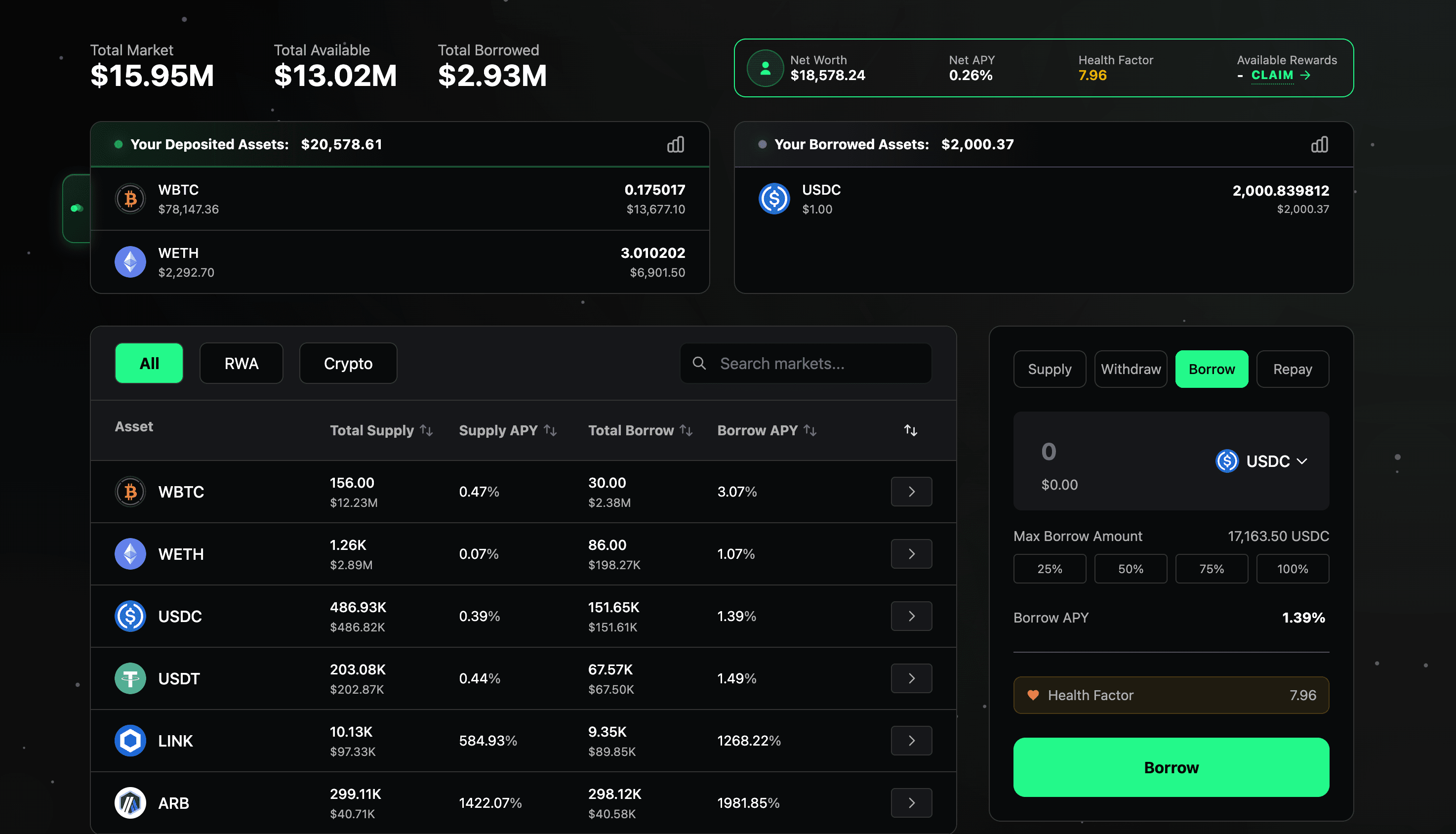
Borrowing on ZonaLend allows users to access liquidity by using deposited assets as collateral. Loans are always overcollateralized, meaning the value of collateral must exceed the borrowed amount. Interest accrues on the borrowed amount and is paid to suppliers, with a small fee retained by Zona as protocol revenue.
Preparing to Borrow
Before borrowing, users must have supplied assets as collateral. The maximum borrowable amount depends on:
The total value of supplied collateral
The Loan-to-Value (LTV) ratio of each collateral asset (e.g., 70% for WETH, 50% for certain RWAs or exotic tokens)
The available liquidity in the asset being borrowed
Current Health Factor (must remain >1 after borrowing)
Step-by-Step: How to Borrow
Access the ZonaLend app. Visit https://app.zona.finance/lend and connect your wallet. On this interface, you can see the total market size (e.g. total amount supplied and borrowed across all wallets), your personal details (e.g. your net deposits and yield, health factor, deposited/borrowed assets), individual market details, and a control panel to power your transactions.
Select asset. Use the table on the left to select which asset you want to borrow. Once you've selected, click the arrow button on the right of the corresponding row to lock in the asset to your control panel.
Input position size. You can type your desired borrow amount manually or use our pre-set options to select 25%, 50%, 75% or 100% of your total borrowable amount.
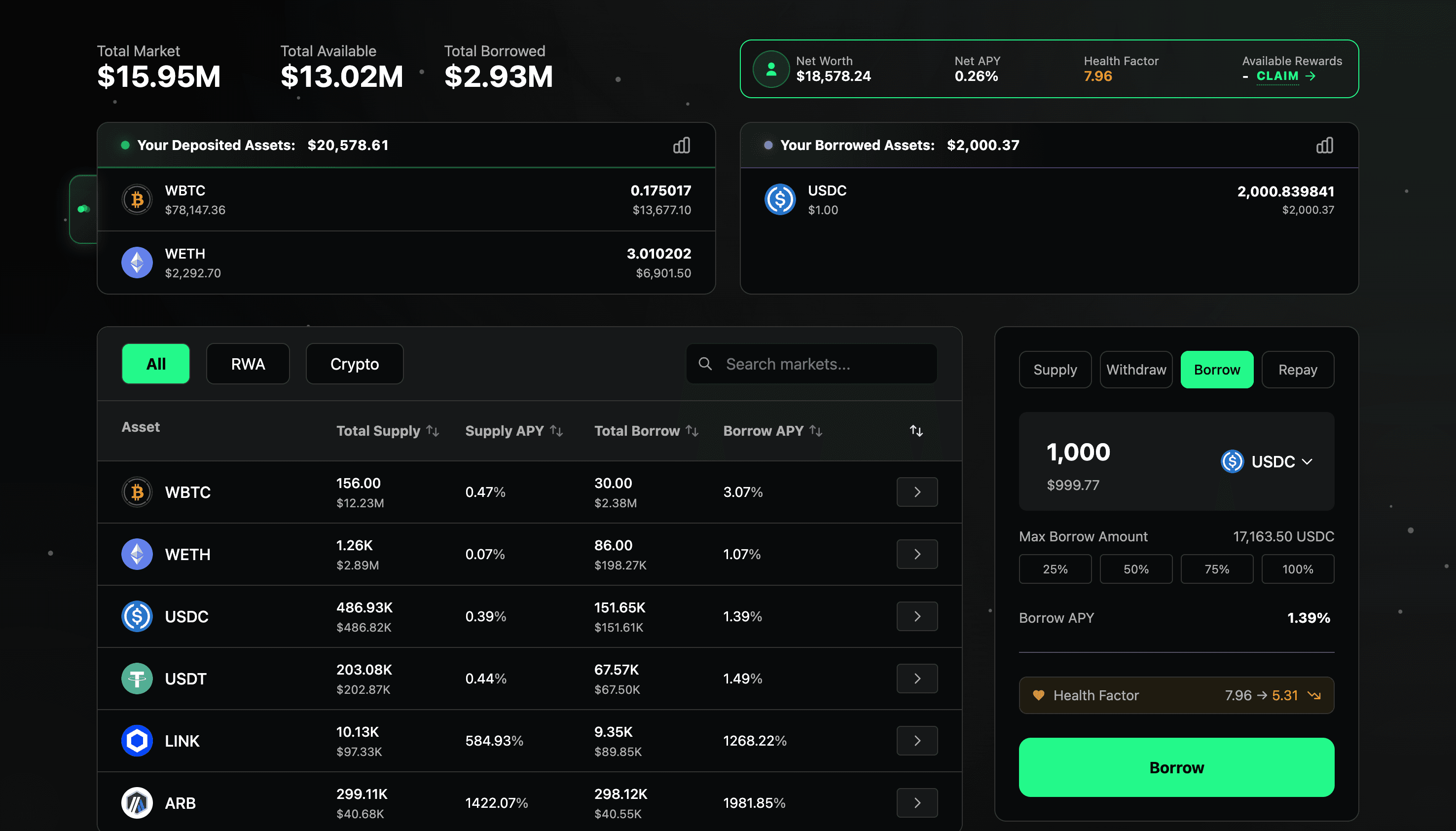
Confirm parameters. Review the APY and health factor to make sure this is the transaction you want. Borrowing assets will drop your health factor, making your position closer to liquidation. Remember, the lower your health factor is, the higher the risk of liquidation.
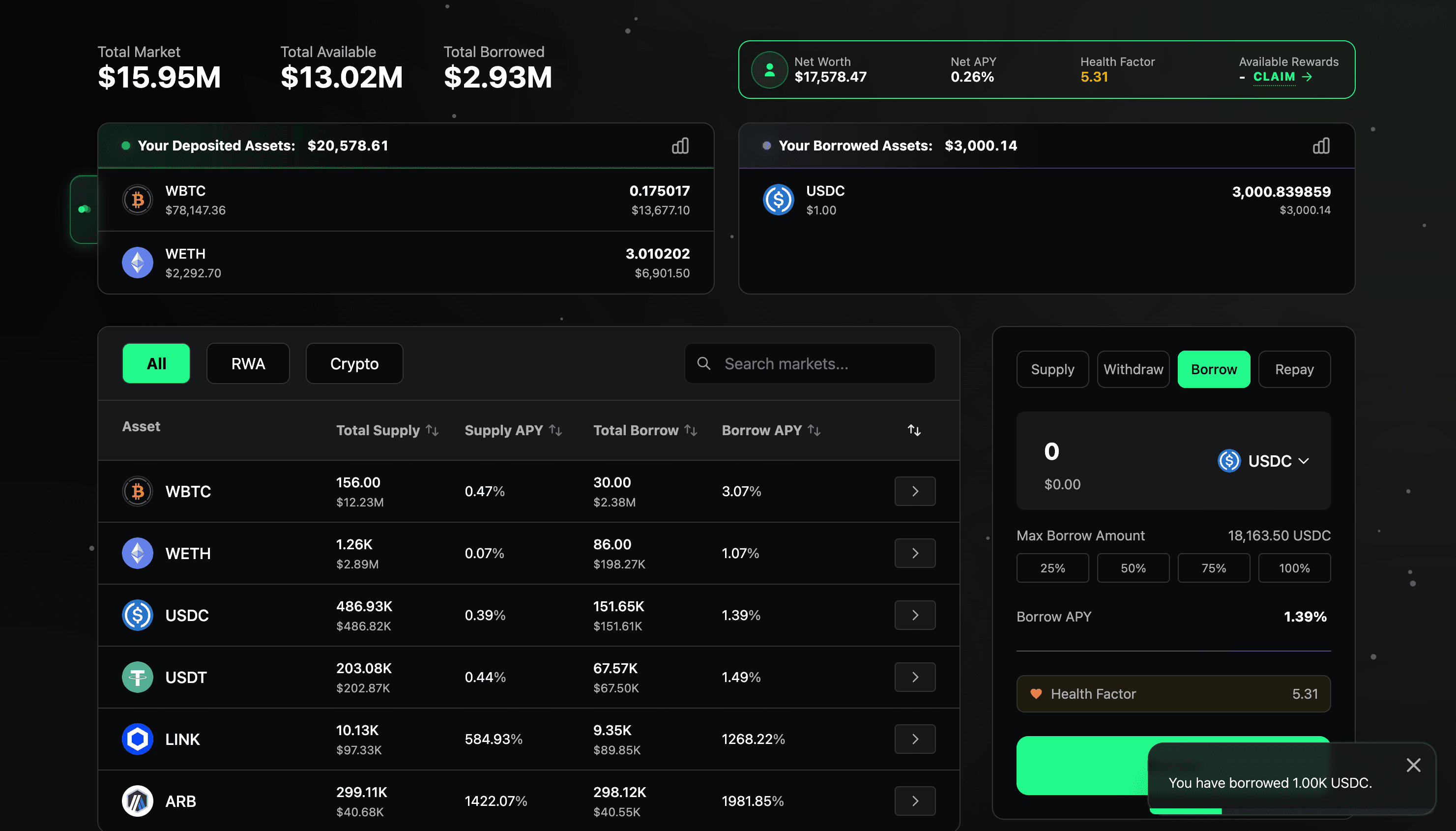
Borrow. Once you are comfortable with the terms, click the "Borrow" button and confirm the transaction on your wallet. A pop-up will appear in the bottom-right corner of your screen to confirm that your transaction has been completed.
After Borrowing
Monitor your Health Factor regularly, especially during volatile periods. Repay anytime by visiting the app, selecting the borrowed asset, and clicking "Repay" on the control panel.
Potential Risks
Liquidation Risk: If your Health Factor falls below 1 (e.g. collateral price drops or borrow rate spikes), liquidators can repay part of your debt and claim a discounted portion of your collateral. This may result in partial or full loss of collateral.
Interest Rate Risk: Borrow rates are variable and increase with utilization. High demand can raise costs quickly.
Asset-Specific Risks: Exotic collateral (e.g., perp LP tokens, certain RWAs) may have lower LTVs or Isolation Mode caps, limiting borrow power or increasing liquidation sensitivity.
Always start with conservative amounts, monitor positions, and use tools like alerts or dashboards to stay safe. For more detailed coverage of risks, please refer to the ZonaLend Risk section.